

Plugin-heavy WordPress sites get skipped by AI crawlers and chatbots more often than site owners realize. That doesn’t mean every plugin is bad, or that ChatGPT refuses to read WordPress. The real issue is that too many plugins can make a website slow, unstable, difficult to crawl, and hard for an AI system to interpret accurately. When an AI crawler has limited time or cannot reliably access the main content, your business may be overlooked in search results, citations, and recommendations.
In this guide, we’ll explain why plugin-heavy websites create problems for AI discovery, how traditional search crawlers and AI crawlers differ, and what you can do to improve your WordPress site without deleting essential functionality. We’ll also cover JavaScript rendering, structured data, technical SEO, and practical WordPress AEO steps that help ChatGPT, Claude, Perplexity, Google AI Overviews, and similar systems understand what your business offers.
Why Plugin-Heavy WordPress Sites Get Skipped by AI Crawlers and Chatbots
AI systems do not understand a website exactly as a human visitor does. They typically discover a page, request its files, process the available HTML and other signals, and decide whether the content is useful, accessible, and trustworthy. If the page takes too long to load, returns errors, depends heavily on client-side scripts, or produces confusing content, the AI system may not extract enough information to use it.
A plugin itself is not automatically a problem. A well-built SEO plugin, contact form, security tool, or ecommerce extension can be completely reasonable. Problems usually appear when a site has accumulated dozens of plugins over time, especially when several plugins perform overlapping jobs.
Every plugin can add some combination of:
- CSS and JavaScript files
- Database queries and background processes
- Shortcodes or page-builder elements
- Tracking scripts and third-party requests
- Admin overhead and security vulnerabilities
- Conflicting settings, duplicate metadata, or broken markup
The result is often a site that looks acceptable in a browser but is much harder for automated systems to process. A human may wait for a page to finish loading, dismiss a popup, and visually infer what the page is about. A crawler or chatbot may receive incomplete content, encounter a timeout, or see a page dominated by scripts and navigation instead of clear text.
It’s also important to avoid an overly simplistic conclusion. There is no universal rule saying “AI crawlers reject WordPress sites with more than a certain number of plugins.” The issue is the effect of those plugins on performance, accessibility, crawlability, and content clarity. Two sites with the same plugin count can perform very differently.
How Plugin Bloat Creates Problems for AI Crawling
Slow responses and crawl budgets
A crawl budget is the amount of time and resources an automated system is willing to spend retrieving and processing a site. Search engines use this concept formally, while AI companies may use different systems and limits. Either way, slow websites create friction.
If a WordPress page requires several seconds before the server responds, loads a large amount of JavaScript, or makes dozens of external requests, an automated visitor may leave before the primary content is available. This matters even more for smaller businesses because AI crawlers may not revisit every page frequently. A temporary error or poor response can mean your best service page is not included in a system’s available information.
JavaScript-dependent content
Some plugins place important text inside interactive elements that only appear after JavaScript runs. This may include tabbed service descriptions, accordion FAQs, product details, reviews, location information, and booking content.
Although some crawlers can render JavaScript, rendering is not guaranteed to be immediate or complete. The question behind “why ChatGPT can’t read my website” is often not that ChatGPT dislikes the site. It may be that the relevant information is hidden behind scripts, blocked by a technical issue, or absent from the initial HTML altogether.
GPTBot JavaScript rendering is also not something website owners should assume will work exactly like a normal browser. AI crawlers and their related systems can change over time, and different bots have different capabilities. The safest approach is to make essential information available in clean, server-rendered HTML rather than relying on a script to insert it later.
For example, your business name, services, locations served, hours, contact details, pricing guidance, and important answers should be present in the page source in a readable form. Interactive features can still improve the user experience, but they shouldn’t be the only place critical information exists.
Other Reasons AI Systems May Ignore a WordPress Website
Plugin bloat is only one part of the problem. AI visibility depends on several technical and editorial signals working together.
Blocked or confusing access
Check your robots.txt file, security plugin settings, firewall rules, and hosting configuration. A security system that aggressively challenges automated visitors may accidentally block legitimate crawlers. Similarly, a noindex tag, password protection, staging configuration, or server error can prevent a page from being considered.
Not every AI crawler should be allowed automatically. Some businesses have valid reasons to restrict certain bots. However, those decisions should be intentional. If you want your public website to be discovered and cited, blocking relevant crawlers without understanding the effect can work against your goals.
Poor content structure
AI systems need context. A page with a vague title, weak headings, missing location information, and generic marketing language gives an answer engine little confidence about when to recommend it.
Strong pages usually make the following clear:
- What the business does
- Who the service is for
- Where the business operates
- What makes the business different
- What questions the page answers
- How a visitor can take the next step
Plugin-generated pages can make this worse by adding duplicate titles, multiple descriptions, thin tag archives, or near-identical pages. A large website is not automatically a useful website. In many cases, a smaller set of complete, specific pages performs better for both search engines and AI systems.
Missing trust and entity signals
AI search optimization for WordPress is not just a technical exercise. Your site should clearly identify the business and demonstrate why its information is reliable. Include an accurate About page, real contact information, author or company details, service-area information, testimonials where appropriate, and links to relevant third-party profiles.
Structured data can help machines interpret this information. Depending on the business, useful schema may include LocalBusiness, Organization, Person, Product, Service, FAQ, or Article markup. Schema does not guarantee an AI citation, but accurate markup removes ambiguity. The key word is accurate: adding irrelevant or misleading schema can create more confusion rather than more visibility.
How to Make WordPress More Accessible to AI Crawlers
Audit plugins before removing them
Do not start by deleting random plugins from a live site. First, create a list of what each plugin does, whether the function is still needed, and whether another plugin or WordPress core already provides it.
We typically look for:
- Inactive plugins that should be removed completely
- Multiple plugins handling SEO, caching, backups, or security
- Plugins loading sitewide assets that are only needed on one page
- Abandoned plugins that no longer receive updates
- Page-builder features creating unnecessary markup or scripts
- Tools that add more complexity than business value
Test changes on a staging site whenever possible. Removing a plugin can affect forms, layouts, redirects, checkout processes, or tracking. A fast but broken website is not an improvement.
Improve the technical foundation
Use reliable hosting, current PHP and WordPress versions, a properly configured page cache, image optimization, and a content delivery network when appropriate. Keep databases clean and monitor server response times. Make sure important pages return a successful status code and work well on mobile devices.
Then review the HTML of your most valuable pages. The primary heading, introduction, service details, and calls to action should be available without requiring several scripts to execute. Keep navigation understandable, use descriptive internal links, and avoid placing essential text inside images.
Build pages for questions, not just keywords
AI assistants often answer specific questions rather than displaying a list of blue links. That makes helpful, well-organized content especially important. Explain what you do, who needs it, how the process works, what it costs or what affects pricing, and what customers should consider before contacting you.
This is the practical side of WordPress AEO. You are not writing for a robot in isolation. You are creating a page that answers a real customer’s question so clearly that a search engine or AI system can confidently summarize it.
A Practical AI Search Optimization WordPress Checklist
If you suspect your site is being overlooked, work through these steps in order:
- Confirm that important pages are not marked noindex.
- Review robots.txt and security settings for accidental crawler blocks.
- Test pages while logged out and on a mobile connection.
- Measure server response time, page speed, and Core Web Vitals.
- Remove unused, duplicated, or unsupported plugins.
- Ensure key content appears in the initial HTML.
- Fix broken links, redirect chains, and server errors.
- Use one clear title and primary heading per important page.
- Add accurate organization, local business, service, or product schema.
- Write specific content that answers customer questions directly.
- Strengthen internal links between related services and resources.
- Keep business information consistent across your website and profiles.
You do not need to install an “AI crawler plugin” to complete these tasks. In fact, adding another plugin without understanding the underlying problem can make the site heavier. Good technical SEO, clear content, dependable hosting, and consistent maintenance usually provide a stronger foundation.
Conclusion: Make Your WordPress Site Easy to Understand
Plugin-heavy WordPress sites get skipped by AI crawlers and chatbots when their plugins contribute to slow performance, blocked access, script-dependent content, confusing markup, or unreliable page experiences. The plugin count itself is not the enemy. Unnecessary complexity is.
Start with your most valuable pages and make sure they load quickly, remain accessible to legitimate crawlers, and explain your business in plain language. Remove tools you no longer need, keep important information in readable HTML, and use structured data where it genuinely applies. Then improve the content so it answers the questions your customers actually ask.
At The X Digital, we approach AI visibility from both sides: technical performance and useful information. We build, host, repair, and optimize WordPress websites for businesses that depend on their sites for leads and sales. If your website looks fine to you but rarely appears in AI answers or search results, a focused technical and content audit can show you what to fix first.
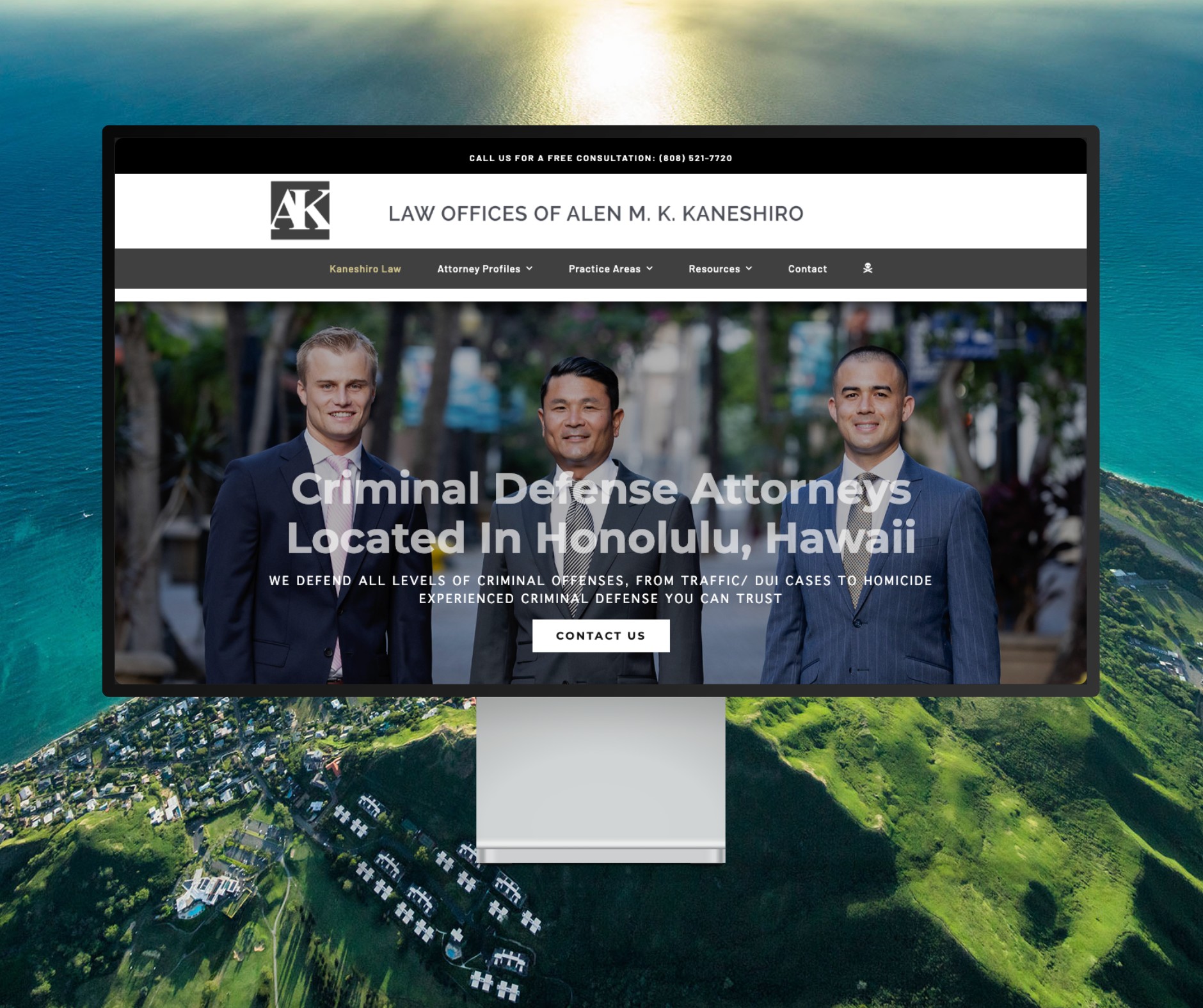
Featured Website: www.kaneshirolaw.com
Kaneshiro Law Firm, one of Hawaii’s most respected legal practices, partnered with The X Digital three years ago for a complete website redesign. Since then, we’ve maintained an ongoing relationship—handling updates, optimizations, and technical support around the clock. Our dedicated team ensures they’re never without assistance, while our enterprise-grade hosting provides 24/7 uptime monitoring and reliability. Kaneshiro Law Firm is one of many long-term clients who trust us to keep their digital presence running flawlessly.