

If you’re a small business owner thinking about running Google Ads, one of the first questions you’ll ask yourself is: How much is this actually going to cost me? It’s a fair question—and one that doesn’t have a one-size-fits-all answer. Google Ads doesn’t charge a flat monthly fee. Instead, you pay per click, and those clicks can range from a couple of dollars to well over ten, depending on your industry and location. In this guide, we’ll walk you through what a realistic small business Google Ads budget looks like in 2026, how to calculate what you need based on your goals, and how to avoid spending more than necessary while still getting results.
We’ve managed hundreds of Google Ads campaigns over the past two decades, and we’ve seen what works—and what drains budgets without delivering leads. Whether you’re brand new to paid search or you’ve tried it before without success, this article will give you a clear framework for setting a monthly Google Ads budget that makes sense for your business.
What Does Google Ads Actually Cost in 2026?
Google Ads operates on a pay-per-click (PPC) model. You only pay when someone clicks your ad. According to WordStream’s 2026 benchmarks, the average cost per click across all industries in the U.S. is $5.42. But that average hides a lot of variation. A click for a restaurant might cost around $2, while a click for a personal injury attorney can run close to $10.
Here’s what else those benchmarks tell us:
- The average cost per lead in Google Ads is $66.69.
- Most small businesses start with a budget between $1,000 and $3,000 per month.
- New campaigns often begin around $20 to $50 per day to gather data and test what works.
- In a study of over 15,000 accounts, 24% spent under $1,000/month, 39% spent between $1,000 and $10,000/month, and 37% spent over $10,000/month.
These numbers give you a starting point, but the real question is: what do you need to spend to hit your goals?
Cost per Click by Industry
Your industry has a huge impact on what you’ll pay. Here’s a snapshot of 2026 costs across common small business categories, based on WordStream data:
- Restaurants and food: $2.05 per click, $30.57 per lead
- Beauty and personal care: $4.62 per click, $39.25 per lead
- Automotive repair and service: $4.35 per click, $29.96 per lead
- Dentists and dental services: $8.00 per click, $72.97 per lead
- Home and home improvement: $8.33 per click, $90.92 per lead
- Attorneys and legal services: $9.87 per click, $131.63 per lead
Why the difference? Industries with high customer lifetime value—like legal services or home remodeling—can afford to pay more per click because one new client can be worth thousands. Meanwhile, businesses with lower margins or higher conversion rates often see cheaper clicks and lower cost per lead.
How to Calculate Your Monthly Google Ads Budget
Setting a small business Google Ads budget starts with your lead goal, not an arbitrary number. Here’s the formula we use with clients:
Monthly budget = leads you want × cost per click ÷ landing page conversion rate
Let’s break that down with a real example. Say you’re a local electrician and you want 20 new leads per month. Based on the home improvement benchmark, your average cost per click might be around $7.50 (after filtering out irrelevant searches). If your landing page converts 9% of visitors into leads, here’s the math:
- 20 leads ÷ 9% conversion rate = about 222 clicks needed
- 222 clicks × $7.50 per click = $1,665 in ad spend
- Daily budget: $1,665 ÷ 30.4 = about $55 per day
That’s your starting point. If you don’t know your conversion rate yet, use the industry benchmark from the table above, then replace it with your actual data after the first month.
The Profit Ceiling Test
Before you commit to any budget, run this quick check: profit per customer × close rate = the most you can afford to pay per lead. If a typical job brings you $500 in profit and you close one out of every four leads, your ceiling is $125 per lead. If your industry’s benchmark cost per lead is well above that, Google Ads might not be profitable yet—or you’ll need to improve your close rate or raise your prices first.
What’s a Realistic Starting Budget for Small Businesses?
Most small businesses we work with start with a monthly Google Ads budget between $1,000 and $2,500. That’s usually enough to generate meaningful traffic, test your targeting and ad copy, and get a clear picture of what a lead costs in your market.
According to Search Engine Land, many businesses begin with a test budget of $500 to $5,000 in their first month. The key is to pick a number you’re comfortable testing—and then track results closely. If you spread your budget too thin, the campaign won’t gather enough data to optimize, and you’ll end up with slow learning and poor performance.
Here’s a simple framework:
- $500–$1,000/month: Bare minimum for a very narrow local campaign (one service, one city). Expect limited reach and slow data collection.
- $1,000–$2,500/month: Sweet spot for most local service businesses testing Google Ads for the first time. Enough clicks to see what’s working within a few weeks.
- $2,500–$5,000/month: Solid budget for competitive industries or businesses covering multiple service areas.
- $5,000+/month: Typically used by businesses that have already proven profitability and are scaling up.
If your first month shows a positive return—say, you spend $1,000 and generate $3,000 in profit—then increase your budget by 10% to 20% the next month. If performance is weak, don’t throw more money at it. Instead, review your targeting, ad copy, and landing page to find what’s holding you back.
How Google Charges: Daily Budgets and Monthly Caps
When you set up a campaign, you’ll enter an average daily budget. Google can spend up to twice that amount on a particularly busy day, but you’ll never be charged more than 30.4 times your daily budget in a month. So if you set a $50 daily budget, your monthly cap is about $1,520.
This system gives Google flexibility to capture high-traffic days (like weekends or after a local event) without blowing your budget. You can also use a campaign total budget if you’re running a short-term promotion or seasonal campaign—Google will pace your spend to use the full budget by your end date.
Don’t Forget Management Fees
Your monthly Google Ads budget isn’t just ad spend. If you hire someone to manage the account—whether that’s a freelancer, an agency, or an AI-assisted tool—you’ll pay for that service too.
Here’s what to expect in 2026:
- DIY (do it yourself): $0 in management fees, but you’ll need to invest time learning the platform and checking reports weekly.
- Freelancer: Often a flat fee starting around a few hundred dollars per month, best for simple campaigns with modest budgets.
- Agency (flat fee): Typically $1,000 to $3,000 per month for ongoing management, common for multi-location or multi-service campaigns.
- Agency (percentage): Usually 10% to 20% of ad spend, often with a minimum monthly fee. For example, if you spend $5,000 on ads, expect to pay an additional $500 to $1,000 in management fees.
Make sure you ask whose name the Google Ads account is registered under. If the agency opens the account in their name, you lose access to the campaign history if you ever leave—and that history is valuable for future optimization.
How to Lower Your Cost per Lead Without Cutting Your Budget
Once your campaign is running, the goal isn’t just to spend your budget—it’s to spend it efficiently. Here are the tactics we use to bring down local Google Ads cost and improve return on ad spend:
1. Tighten Your Keyword Targeting
Broad match keywords sound appealing because they cast a wide net, but they also burn budget on irrelevant clicks. Use phrase match and exact match keywords, and add negative keywords aggressively. If you’re a residential plumber, add “commercial” and “industrial” as negatives. If you don’t serve a neighboring city, exclude it by location.
2. Improve Your Landing Page Conversion Rate
Even a small bump in conversion rate has a huge impact on cost per lead. If you’re currently converting 5% of visitors and you improve that to 7%, your cost per lead drops by nearly 30%. Make sure your landing page loads fast, matches the promise in your ad, and has a clear call to action—preferably a phone number and a short form, not a ten-field contact page.
3. Use Location and Schedule Targeting
If you’re a local business, don’t waste clicks from people outside your service area. Set a radius around your location or target specific ZIP codes. You can also schedule ads to run only during business hours if you rely on phone calls, or pause them on days when you’re not taking new work.
4. Test Your Ad Copy
Google Ads lets you run multiple ad variations at once. Test different headlines, descriptions, and calls to action. Sometimes a simple change—like adding “free estimate” or “same-day service”—can improve click-through rate and attract more qualified leads.
5. Monitor Search Terms Weekly
The search terms report shows you exactly what people typed before clicking your ad. Review it every week and add any irrelevant terms as negatives. This is one of the fastest ways to stop wasting money.
When Google Ads Might Not Be Worth It (Yet)
We’re a Google Ads agency, but we’ll be the first to tell you: it’s not always the right move. If your profit per customer is low, your close rate is weak, or your website isn’t ready to convert visitors, paid search can drain cash without delivering results.
Here’s when to pause or wait:
- Your cost per lead ceiling is lower than the industry benchmark, and you can’t raise prices or improve your close rate.
- Your landing page is slow, confusing, or doesn’t have a clear way to contact you.
- You don’t have time to respond to leads quickly. In competitive industries, the first business to call back often wins the job.
- You’re in a very niche market with extremely low search volume. If only 10 people per month search for your service in your area, Google Ads won’t generate enough traffic to matter.
In those cases, focus on SEO and organic visibility first. Once your website is converting well and you have systems in place to handle leads, paid search becomes a much safer bet.
Final Thoughts: Start Small, Measure Everything, Scale What Works
There’s no universal answer to how much to spend on Google Ads, but there is a process. Start with a test budget you’re comfortable losing—$1,000 to $2,000 is a good range for most small businesses. Track your cost per click, cost per lead, and return on ad spend. If the numbers work, increase your budget gradually. If they don’t, troubleshoot your targeting, your landing page, or your offer before you spend more.
Google Ads can be one of the fastest ways to generate leads, but only if you approach it strategically. Set a realistic budget, give the campaign time to gather data, and don’t be afraid to pause and regroup if something isn’t working. And if you need help setting up or rescuing a campaign, that’s exactly what we do—reach out and we’ll walk you through it.
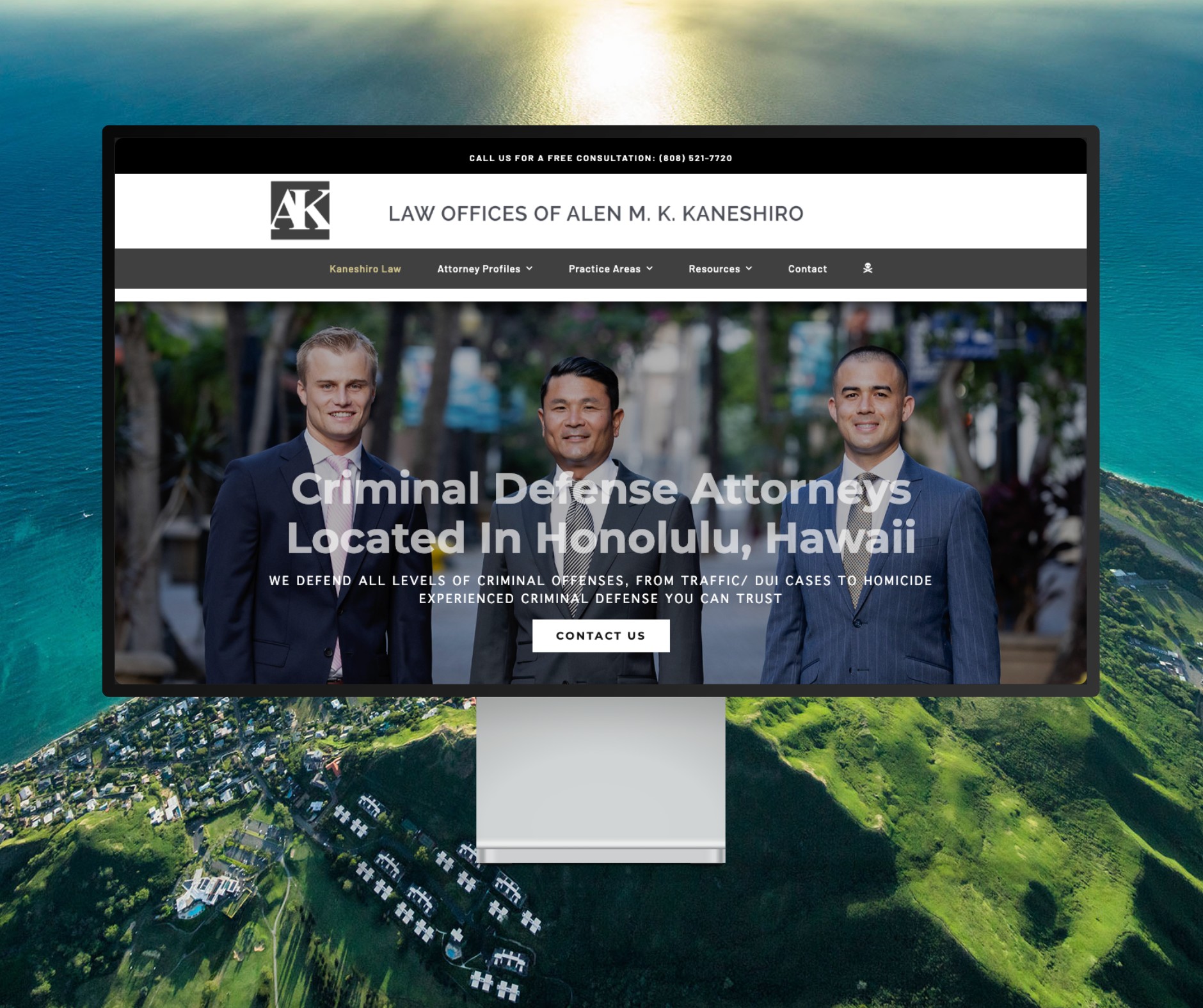
Featured Website: www.kaneshirolaw.com
Kaneshiro Law Firm, one of Hawaii’s most respected legal practices, partnered with The X Digital three years ago for a complete website redesign. Since then, we’ve maintained an ongoing relationship—handling updates, optimizations, and technical support around the clock. Our dedicated team ensures they’re never without assistance, while our enterprise-grade hosting provides 24/7 uptime monitoring and reliability. Kaneshiro Law Firm is one of many long-term clients who trust us to keep their digital presence running flawlessly.