

AI has made cybercrime faster, cheaper, and easier to scale. A scammer can now write convincing phishing emails, imitate a manager’s writing style, create realistic voice messages, and search for vulnerable websites far more quickly than before. For a small business, that can make one stolen password or missed software update much more expensive.
The good news is that you don’t need an enterprise security department to reduce your risk. The most effective defenses are still practical: strong authentication, timely updates, reliable backups, careful payment procedures, secure website management, and a team that knows what suspicious activity looks like. In this guide, we’ll explain how AI-driven cyber threats affect small businesses and what you can do now to protect your accounts, website, customer data, and revenue.
How to Protect Your Small Business from AI-Driven Cyber Threats: Start with the Basics
AI is not replacing every traditional cyberattack. Instead, it is helping criminals improve familiar tactics. Phishing, credential theft, ransomware, business email compromise, and website attacks are still common; AI simply helps attackers produce more believable messages and find targets more efficiently.
The latest Verizon Data Breach Investigations Report shows why the basics matter. In its 2026 findings, 31% of breaches began with software vulnerabilities, 48% involved ransomware, and 15% of attack techniques were bolstered by generative AI. Verizon also reported that small and medium-sized businesses are being targeted nearly four times more than large organizations.
That doesn’t mean your business is doomed. It means you should focus on the handful of weaknesses that attackers repeatedly exploit.
Know what AI-driven attacks look like
AI-assisted scams may include:
- A payment request written in your owner’s or accountant’s usual tone.
- A fake vendor invoice with accurate project details copied from public information.
- A voice message that sounds like a manager asking an employee to buy gift cards or transfer funds.
- A convincing login page designed to steal Microsoft 365, Google Workspace, banking, or hosting credentials.
- Automated attacks against outdated WordPress plugins, exposed servers, or reused passwords.
The key lesson is simple: don’t judge a message only by how professional it looks. AI makes polished writing cheap. Verify unusual requests through a separate channel, especially when money, passwords, customer records, or account access are involved.
Use a risk-based plan instead of chasing every headline
You don’t need to buy every new security product. Start by identifying what would hurt most if it disappeared or became public. For many small businesses, that includes the website, business email, payment accounts, customer database, scheduling system, cloud files, and accounting software.
The NIST Cybersecurity Framework 2.0 Small Business Quick-Start Guide is designed for organizations with modest or no cybersecurity plans. It provides a useful structure for identifying risks, protecting systems, detecting problems, responding to incidents, and recovering operations.
Secure Your Email, Logins, and Business Accounts
Most small business security programs should begin with identity protection. If an attacker gets access to your email, they may be able to reset passwords, impersonate you, read invoices, access cloud files, and take over other services. A compromised email account can become the master key to your business.
Turn on multi-factor authentication everywhere possible
Multi-factor authentication, or MFA, requires something beyond a password, such as an authenticator app, security key, or one-time code. It can stop an attacker even when a password has been stolen.
Prioritize MFA for:
- Business email and cloud storage.
- Online banking, payroll, and accounting platforms.
- WordPress hosting and domain registrar accounts.
- Google Ads, social media, and other marketing platforms.
- Remote access tools and administrator accounts.
Authenticator apps or hardware security keys are generally safer than text-message codes, but any MFA is better than relying on a password alone. Also, remove former employees and old vendors from your systems instead of leaving dormant accounts active.
Stop reusing passwords
AI makes it easier for criminals to automate stolen-password attacks. Verizon’s 2025 credential-stuffing research found that even small businesses experienced active credential-stuffing activity in about 12% of authentication attempts. Credential stuffing is when criminals try usernames and passwords stolen from one service on many other services.
Use a password manager to create a different password for every important account. Never share administrator credentials by email or store them in a spreadsheet labeled “passwords.” Create separate user accounts for staff, and give each person only the access needed to do their job.
Protect your domain from email spoofing
Scammers can sometimes make fraudulent messages appear to come from your company domain. Ask your email provider or IT professional to configure SPF, DKIM, and DMARC. These email authentication tools help receiving mail servers verify whether a message is authorized to use your domain.
The Federal Trade Commission’s cybersecurity guidance for small businesses specifically recommends these controls for business email. They won’t stop every scam, but they make it harder for criminals to impersonate your company and protect customers from fraudulent messages sent in your name.
Protect Your Website from Hackers and Automated Attacks
Your website is often the most visible part of your business, which makes it a valuable target. An attacker may deface it, inject malicious code, redirect visitors to a scam page, steal form submissions, or use your hosting account to send spam. Even when no customer data is stolen, downtime can cost leads, bookings, and trust.
Keep WordPress and plugins updated
Outdated software is one of the easiest weaknesses for attackers to exploit. Keep WordPress core, themes, plugins, ecommerce systems, server software, and security tools updated. Delete plugins and themes you no longer use; inactive software can still create risk if it remains installed.
Updates should be managed carefully on revenue-generating sites. Take a backup first, test important forms and checkout functions afterward, and avoid installing random plugins from unknown sources. If your website handles payments, health information, customer accounts, or bookings, professional maintenance is usually worth the cost.
Reduce unnecessary access
Not everyone needs administrator privileges. Use the lowest permission level that allows each person to do their job. Require MFA for hosting and WordPress administrator accounts, and avoid sharing one login among several employees.
Review access at least quarterly. Remove old users, former agencies, unused FTP accounts, and abandoned integrations. Check whether your domain, hosting, analytics, payment, and advertising accounts are still controlled by the people who should have access today.
Back up for recovery, not just compliance
A backup is only useful if it is recent, separate from the live website, and tested. Keep multiple backup versions so you can recover from ransomware or malicious changes that remain unnoticed for several days. At least one copy should be isolated from the systems being backed up.
CISA guidance for small and mid-sized businesses recommends automatically and continuously backing up critical data and system configurations, with an easily retrievable copy stored away from the organizational network. Test restoring a website and key files before an emergency occurs. A backup that has never been restored is an assumption, not a recovery plan.
Train People to Slow Down AI-Powered Scams
Employees are often described as the weakest link, but that framing is unhelpful. Staff members are being asked to make fast decisions while attackers use increasingly convincing messages. The better approach is to give people simple rules, clear authority to pause, and a process for reporting mistakes without fear.
Create verification rules for money and sensitive information
Require an independent confirmation for:
- Changes to vendor banking information.
- Urgent wire transfers, refunds, or large purchases.
- Requests for passwords, verification codes, or customer data.
- New payment instructions received by email.
- Unexpected remote-access or software-installation requests.
“Independent” means using a phone number or contact method you already trust, not replying to the original message or using the number included in it. A short verification call can prevent a six-figure loss.
Teach people to spot pressure and secrecy
AI-generated scams often rely on emotional manipulation rather than obvious spelling mistakes. Be cautious when a message creates urgency, demands secrecy, discourages verification, or claims that normal approval procedures should be bypassed.
The FBI’s Internet Crime Complaint Center has tracked business email compromise for years. Its September 2024 public service announcement reported more than $55 billion in exposed losses from BEC incidents between October 2013 and December 2023. The scam affects small local businesses as well as large corporations because it targets ordinary payment and communication processes.
Make reporting easy. Tell employees exactly who to contact if they click a suspicious link, send money to the wrong account, or believe an account has been compromised. Fast reporting can limit the damage.
Build a Simple Incident Response Plan
You don’t need a 100-page document. You need a short plan that answers who does what when something goes wrong. During an attack, confusion costs time, and time can determine whether you recover quickly or spend weeks rebuilding systems.
Write down these first-response steps
- Contain the problem. Disconnect an infected computer from the network, disable a compromised account, or take a hacked website offline if necessary.
- Protect evidence. Save suspicious emails, login alerts, invoices, screenshots, and relevant system logs.
- Contact the right providers. Notify your hosting company, email provider, bank, payment processor, insurer, and IT or security partner.
- Reset access safely. Change passwords from a clean device and revoke active sessions, API keys, and unknown applications.
- Communicate carefully. Tell customers or partners only what has been confirmed, and avoid spreading unverified information.
- Report the crime. Depending on the incident, report it to the FBI’s IC3, the FTC, local law enforcement, or applicable regulators.
If money was transferred because of fraud, contact your bank immediately. Don’t wait to collect every detail first. If your website was hacked, avoid simply reinstalling everything without understanding how the attacker got in; otherwise, the same access point may be used again.
Review your plan after every incident
Even a minor phishing attempt can reveal a process problem. Maybe one employee had unnecessary access, a former vendor still controlled an account, or there was no clear way to verify payment changes. Fix those weaknesses while the details are fresh.
Conclusion: Make Small Business Security a Routine
AI-driven cyber threats are serious, but they don’t require panic or a massive technology budget. The most important steps are straightforward: enable MFA, use unique passwords, update your website, maintain tested backups, authenticate your email domain, limit user access, verify payment requests, and create a simple response plan.
Review your highest-risk accounts and systems this week. If you run WordPress, confirm that updates and backups are being handled consistently. If your team uses cloud email, verify MFA and remove old accounts. If a request feels urgent or unusual, pause and confirm it through another channel.
Small business security is not a one-time purchase. It is an operating habit. By combining practical cybersecurity for small businesses with responsible use of AI in cybersecurity, you can make your business a much harder target while protecting the website, customer relationships, and revenue you’ve worked to build.
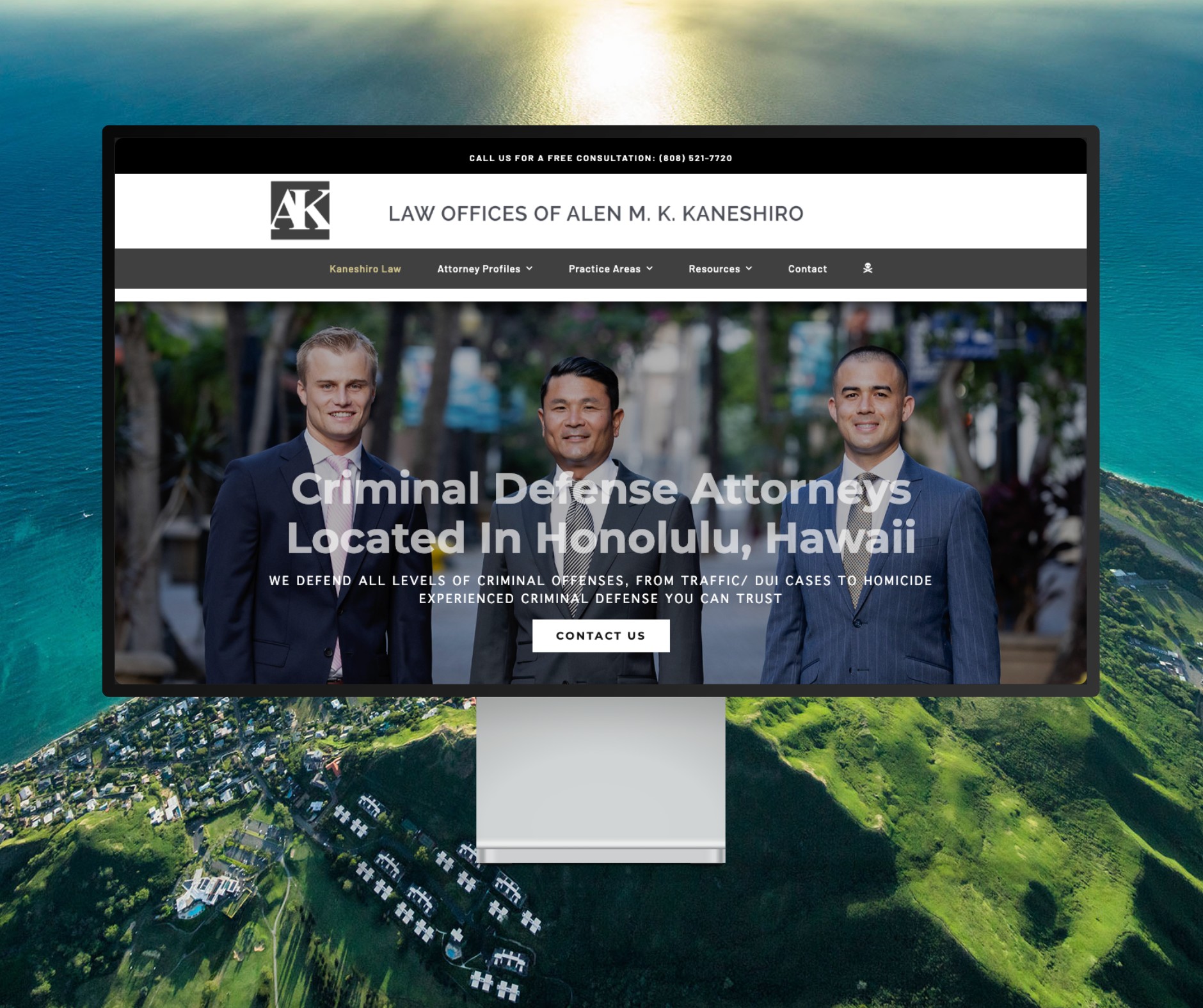
Featured Website: www.kaneshirolaw.com
Kaneshiro Law Firm, one of Hawaii’s most respected legal practices, partnered with The X Digital three years ago for a complete website redesign. Since then, we’ve maintained an ongoing relationship—handling updates, optimizations, and technical support around the clock. Our dedicated team ensures they’re never without assistance, while our enterprise-grade hosting provides 24/7 uptime monitoring and reliability. Kaneshiro Law Firm is one of many long-term clients who trust us to keep their digital presence running flawlessly.